ACCOUNT MANAGEMENT
This page explains how to delete your Wizards of Riveria account, request help with account-related issues, and contact us regarding privacy or purchase-related questions.
HOW TO DELETE YOUR ACCOUNT
Follow these steps to delete your Wizards of Riveria account and begin the deletion process for associated account data:
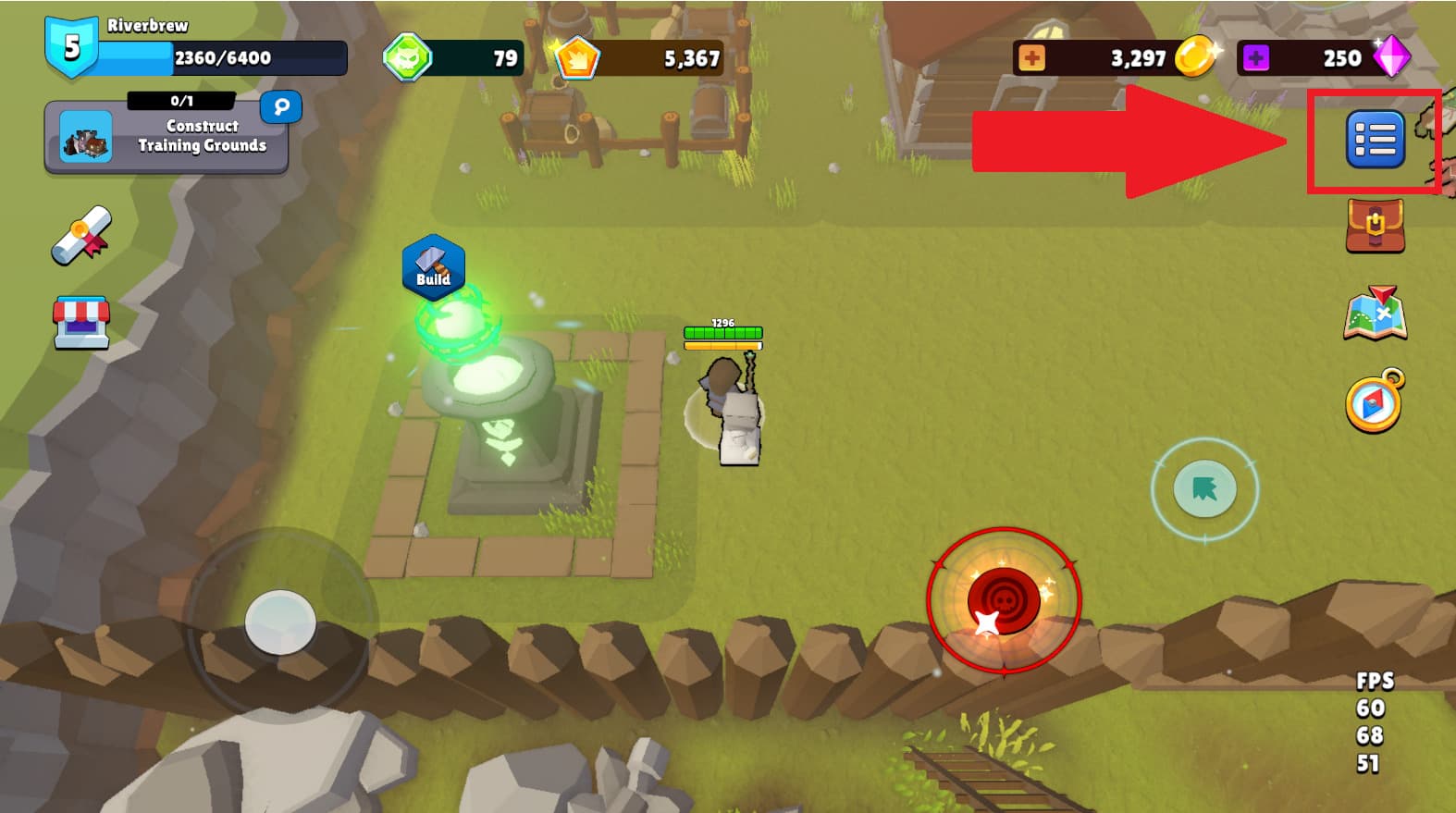
STEP 1: OPEN SETTINGS
Open the game and tap the menu button to open Settings.
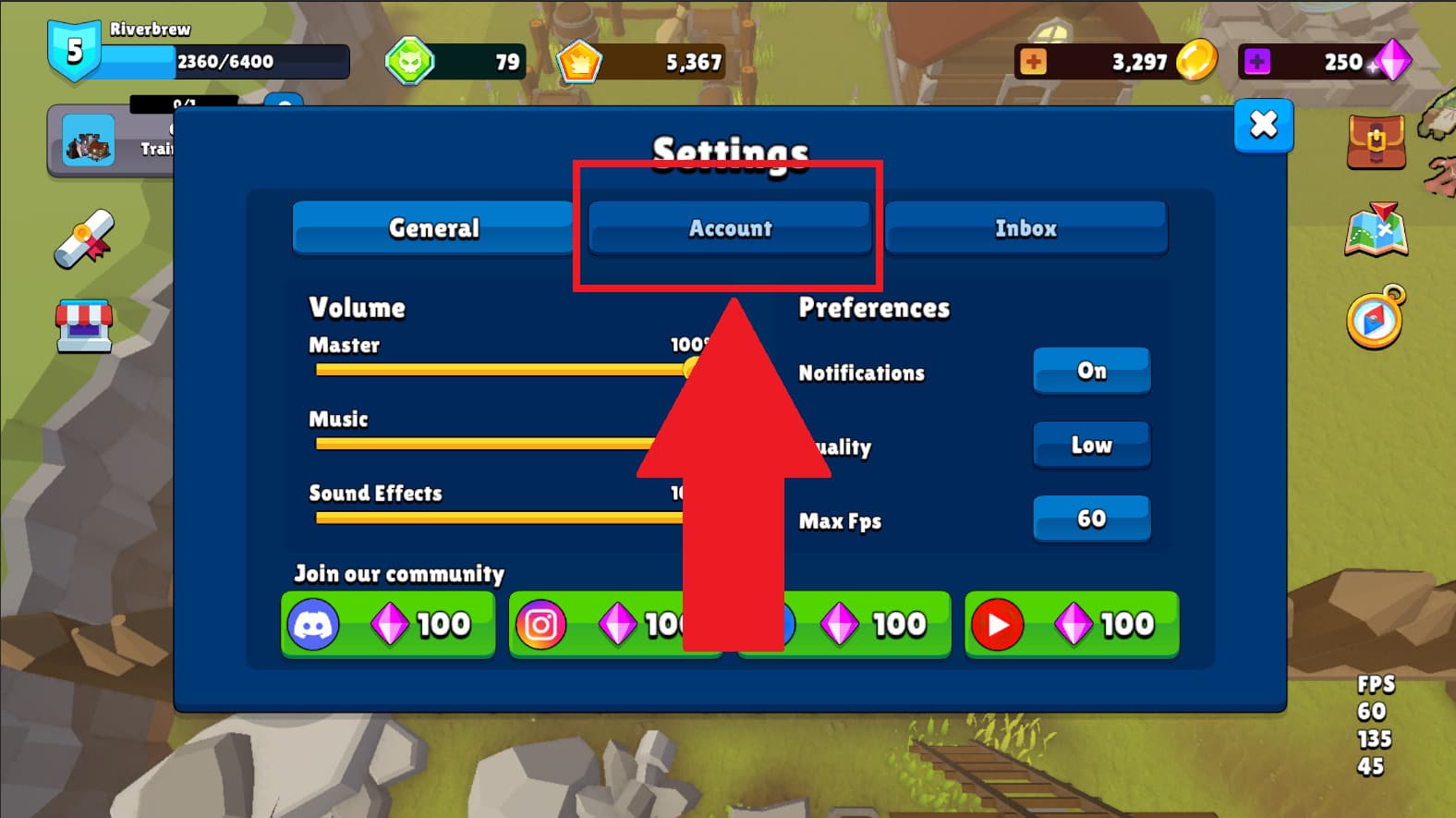
STEP 2: OPEN ACCOUNT
In Settings, tap the "Account" tab.
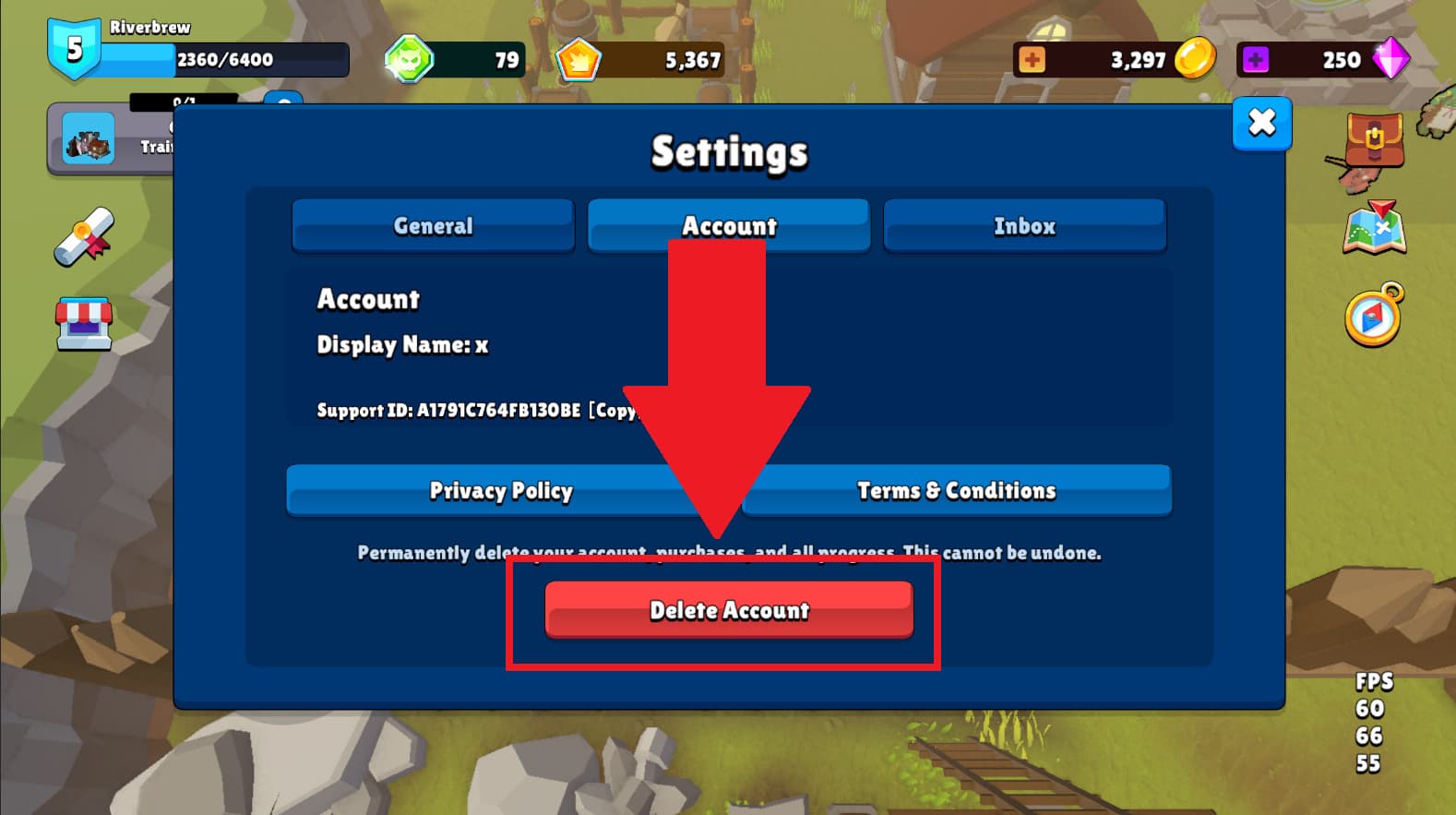
STEP 3: FIND DELETE ACCOUNT
Tap on the "Delete Account" button, then confirm the deletion by following the on-screen instructions.
WHAT IS DELETED
When your account deletion request is completed, the following types of account data are generally removed from active game systems:
- Your heroes and their upgrades
- Your saved game progress and character progression
- Your in-game currencies
- Device-linked and account-linked game data (such as Google or Apple-linked account associations used by the game)
- Virtual items and game entitlements associated with the deleted account, including items previously obtained through gameplay or purchases
Once deletion is completed, this game account data is generally not recoverable.
Please note that deleting your Wizards of Riveria account does not automatically cancel, reverse, or delete records that may be maintained by platform providers, payment providers, or third-party services such as Google Play, the Apple App Store, Firebase, Unity, or advertising partners, where those parties process data under their own policies.
WHAT MAY BE RETAINED
In some cases, we may retain limited information after account deletion where reasonably necessary or required by law, including for:
- Security and fraud prevention
- Compliance with legal obligations
- Resolving disputes or enforcing our Terms of Service
- Maintaining records of chargebacks or other harmful activity
Any such retained information is limited to what is reasonably necessary for those purposes.
PRIVACY AND DATA REQUESTS
If you want to request access to your personal data, request correction of inaccurate information, request deletion, or make another privacy-related request, please contact us using the details below.
For your protection, we may ask for reasonable information to verify your identity before processing certain requests.
PURCHASES AND PLATFORM SUPPORT
If your issue relates to a purchase, refund, billing problem, or payment confirmation, the correct support path may depend on where the purchase was made:
- Google Play / Apple App Store purchases: refunds and billing issues may be handled under the relevant app store policies
If you are unsure where to start, contact us and we will help direct you to the appropriate support path.
ADS AND PRIVACY CHOICES
Some privacy and advertising choices are managed directly in the game, through consent prompts, or through your device settings. For example, users in certain regions may be shown consent options for ads, and iOS users may manage tracking permissions through system settings.
These settings may affect how ads are delivered, but they do not necessarily disable all ads.
NEED HELP?
If you have questions about account deletion, privacy, or account management, please contact us:
- By email: ionita.dragos2000d@gmail.com
- Via Discord: https://discord.gg/gridpunk-676736117351475584